Animation
First, let’s get this out of the way: I adjusted the Mega Man sprite to be Mega Man riding Rush. We’re adjusting things so this is a Mega Man shoot ’em up. Simpler, and more closely aligned with what I want my first project to be. So, I created a new game object that has both a Rush and Mega Man sprite in it. They use the same controller to have WASD movement. So, he’s permanently stuck to Rush (for now):

So there are a trio of animations I want to start with:
- Mega Man blinking occasionally.
- Rush exhaust.
- Shooting sprite.
And so, to learn how to do this, I watched a video on animators and animations in Unity. Pretty dense, but basically what I needed.
So, I started with Rush. He needed his own Animator Controller and then a flying Animation Clip. So, on the Rush game object, I added an Animator component and created a new Animator Controller for Rush. To that controller, I added the empty Animation Clip of him puffing exhaust, and added two sprites to it. Easy peasy, now he’s puffing exhaust.
The Mega Man game object got the same treatment for blinking, except I didn’t want him to be blinking 10 times a second, nor did I want his eyes open half the time, and closed the other half. So while there were only two sprites (eyes open, eyes closed), I added a third key frame to the animation of his eyes open so I could adjust the animation and have him close his eyes for 0.2 seconds or so. Cool, cool.
For the shooting “animation” (it’s just one sprite), I added another Animation Clip with just the one keyframe and added some transitions to that “animation” using an isShooting boolean value. Of course, I had to transition to that animation in a script, so I created a separate controller script for Mega Man (because Rush doesn’t need to shoot). Whenever the player holds the shoot button, we’ll hold the shoot animation. The lovely events that can be provided to the InputAction does the job:
private PlayerInput _playerInput;
private Animator _animator;
private InputAction _shootAction;
private readonly int _shootAnimId = Animator.StringToHash("isShooting");

private void Awake()
{
    _playerInput = GetComponent<PlayerInput>();
    _animator = GetComponent<Animator>();

    _shootAction = _playerInput.actions["Shoot"];
    _shootAction.started += ShootAnim;
    _shootAction.canceled += ShootAnim;
}

private void OnDestroy()
{
    _shootAction.started -= ShootAnim;
    _shootAction.canceled -= ShootAnim;
}

private void ShootAnim(InputAction.CallbackContext context)
{
    _animator.SetBool(_shootAnimId, _shootAction.inProgress);
}
Breaking this down a bit:
- Add events to when they start and end shooting to update the animation by calling the
ShootAnimmethod. ShootAnimwill set the boolean that transitions to the shooting animation.- Note that I’m using
SetBool(int, bool)instead ofSetBool(String, bool)since it’s more efficient. I grabbed the index at the top usingAnimator.StringToHash, which only needs to be done once.
However, he’d only transition to the shooting pose if I was holding the key down after he blinks (once the blinking animation is completed). On the transition line, there is a “Settings” (practically hidden) that has a “Has Exit Time” checkbox. Unchecking that completes the transition immediately.
It was still laggy though. Turns out it’s because there was a fixed 0.25 second transition time from one to the next, so I just zeroed that out. And now, he blinks and transitions to shooting through the Animator. I had actually tried a version where I update the sprite in the SpriteRenderer instead, but that doesn’t seem very scalable for having many different animations, since I’d have to provide each sprite I want to transition to into the script.
Shooting
Now that it’s all animated, we need bullets. So, I created a 2D Circle sprite with the classic Mega Man pellet, giving it a script and Rigidbody 2D. I am not sure if I’ll actually need the Rigidbody, but it’s the only way I know to give something a linearVelocity right now, so we’ll go with it.
The script doesn’t do much. It gives is a linearVelocity for a Vector2 that travels positively along the x-axis, with a configurable speed. The game object gets destroyed 2 seconds after creation (we’ll work on boundaries next, probably).
public float projectileSpeed = 16;

private Rigidbody2D _body;
private readonly Vector2 _direction = new Vector2(1, 0);

private void Awake()
{
    _body = GetComponent<Rigidbody2D>();
    Destroy(gameObject, 2);
}

private void FixedUpdate()
{
    _body.linearVelocity = _direction * projectileSpeed;
}
Finally, we need to create these, originating from Mega Man. Back in his controller, we can add another method Shoot which runs when _shootAction.performed. We need to add the weapon to the script as well, but once it’s there, we can have the Shoot method just create the game object at Mega Man’s position, and the script on the projectile object will give it the linear velocity automatically.
public StraightProjectile weapon;

private void Awake()
{
    ...
    _shootAction.performed += Shoot;
    ...
}

private void Shoot(InputAction.CallbackContext context)
{
    Instantiate(weapon.gameObject, transform.position, Quaternion.identity);
}
And now he shoots!
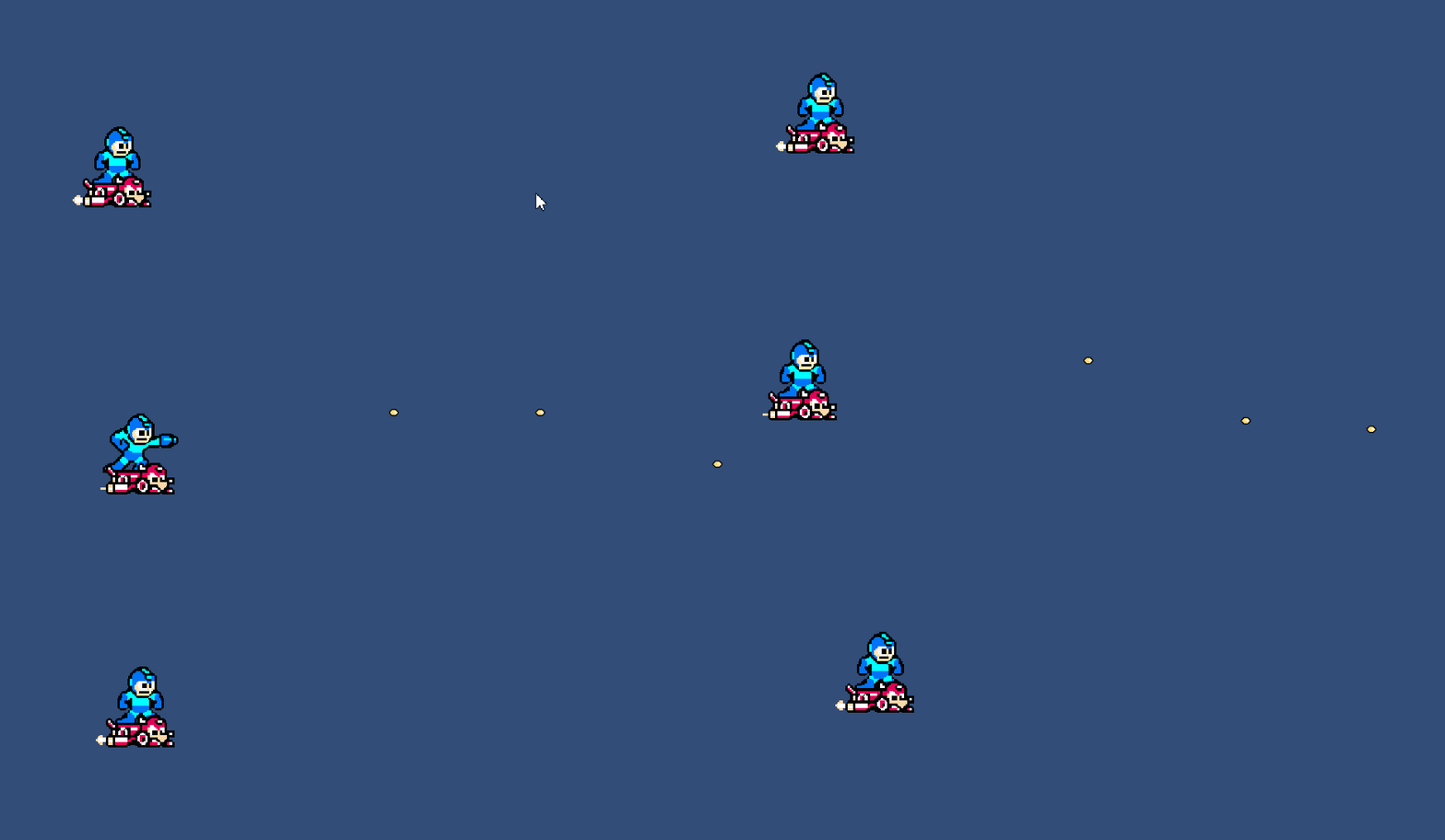
Next up: boundaries. Destroy the bullets when the hit the boundary, and prevent Mega Man from flying outside the screen.
 Learning Unity 2D
Leave a comment