No longer is Mega Man flying through the void:
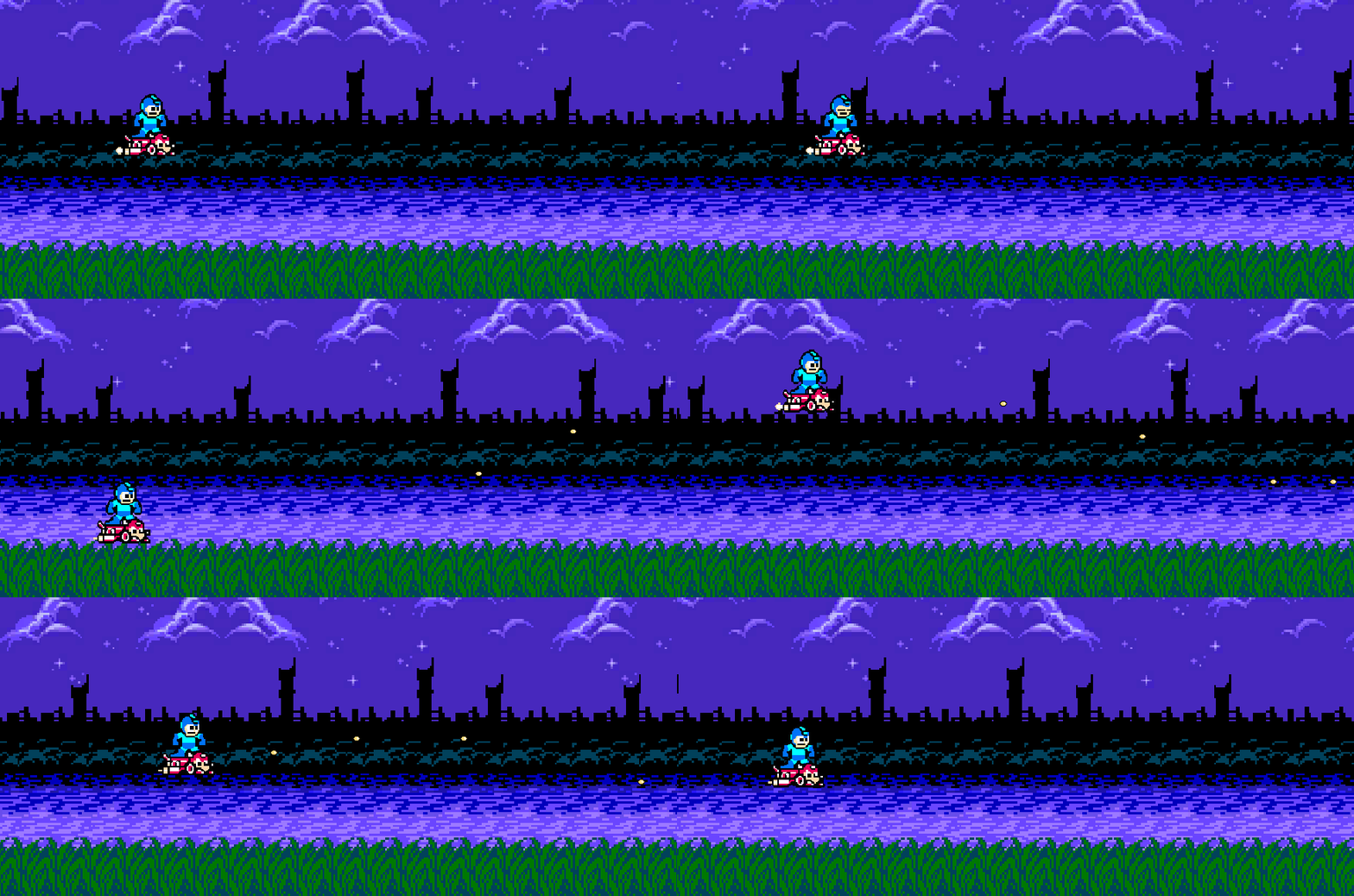
Very cool. I looked for a lot of solutions to this online, and it seems everyone did it differently. Some folks used actual 3D objects (Quad?), and others used various strategies to repeat the background. It seems like the 2D technique that fits best is to have a background at least 2x (or 3x if you want to be able to go either direction) the size of the camera, then just move its x-position until you’ve moved it 1 length of the image, then reset position. Simple enough.
But now here’s the big problem for me: where do I get a background, much less a parallax one?! Well, I found this website which had some Mega Man backgrounds, and I chose one that might be nice broken up into parts. Bumbling my way through with GIMP, I just created a variety of images of different parts by selecting a layer, chopping it out, doubling its length, and saving it.
Contrary to the gif above, I actually made 4 layers, separating the buildings and the river. That said, I thought it looked better with those two layers moving at the same speed. Once all tiled up inside of an empty object, I utilized the sorting layers in Unity to control which is on top of which. I realize I could’ve used the “Order in Layer” properties of the sprite renderer, but that seems messier to manage over time.
Once everything is layered appropriately, we just needed a script to control the movement. I mostly followed this YouTube video, but my starting x-position was not zero, so I had to make a few tweaks. This is what I ended up with:
public float moveSpeed;
public bool scrollLeft;

private float _initialXPosition;
private float _singleTextureWidth;

void Start()
{
    Sprite sprite = GetComponent<SpriteRenderer>().sprite;
    _singleTextureWidth = sprite.texture.width / sprite.pixelsPerUnit;
    _initialXPosition = transform.position.x;
    if (scrollLeft)
    {
        moveSpeed = -moveSpeed;
    }
}

void Update()
{
    transform.position += new Vector3(moveSpeed * Time.deltaTime, 0, 0);
    if (Mathf.Abs(transform.position.x - _initialXPosition) - _singleTextureWidth > 0)
    {
        transform.position = new Vector3(_initialXPosition, transform.position.y, transform.position.z);
    }
}
The only appreciable difference here is the _initialXPosition variable. Nice!
Frustration
I had significant frustration starting out today. For some reason, the Unity Editor is laggy and flickering on one monitor. It probably has something to do with refresh rates, but I can’t figure out the problem. For now, I’m putting the editor on my smaller monitor, and that seems to be a workaround… but it’s smaller, and I’d really prefer to have it on the larger monitor. If I figure out what’s going on (likely something relating to refresh rates), I’ll post an update. It took almost two before I figured out that it was a monitor problem, not a Unity problem. Annoying.
Up Next
I think it’d be really cool if Mega Man could turn around and shoot to the left. It sort of unlocks a different facet of potential gameplay. It’d also be nice if there was something he could shoot at, or shot at him. I’m not sure which of these I’ll do next, but probably the turn-around. My thoughts on what I’d have to do to implement:
- Add input button for turning around (A-key is no good because I want to be above to shoot right while moving left).
- Flip the animations horizontally if the key is pressed. I don’t want to make duplicate sprites though. Can I do this with the animator? We’ll find out.
- Make sure when he shoots, the bullet travels negative, rather than positive x.
 Learning Unity 2D
Leave a comment