Progress
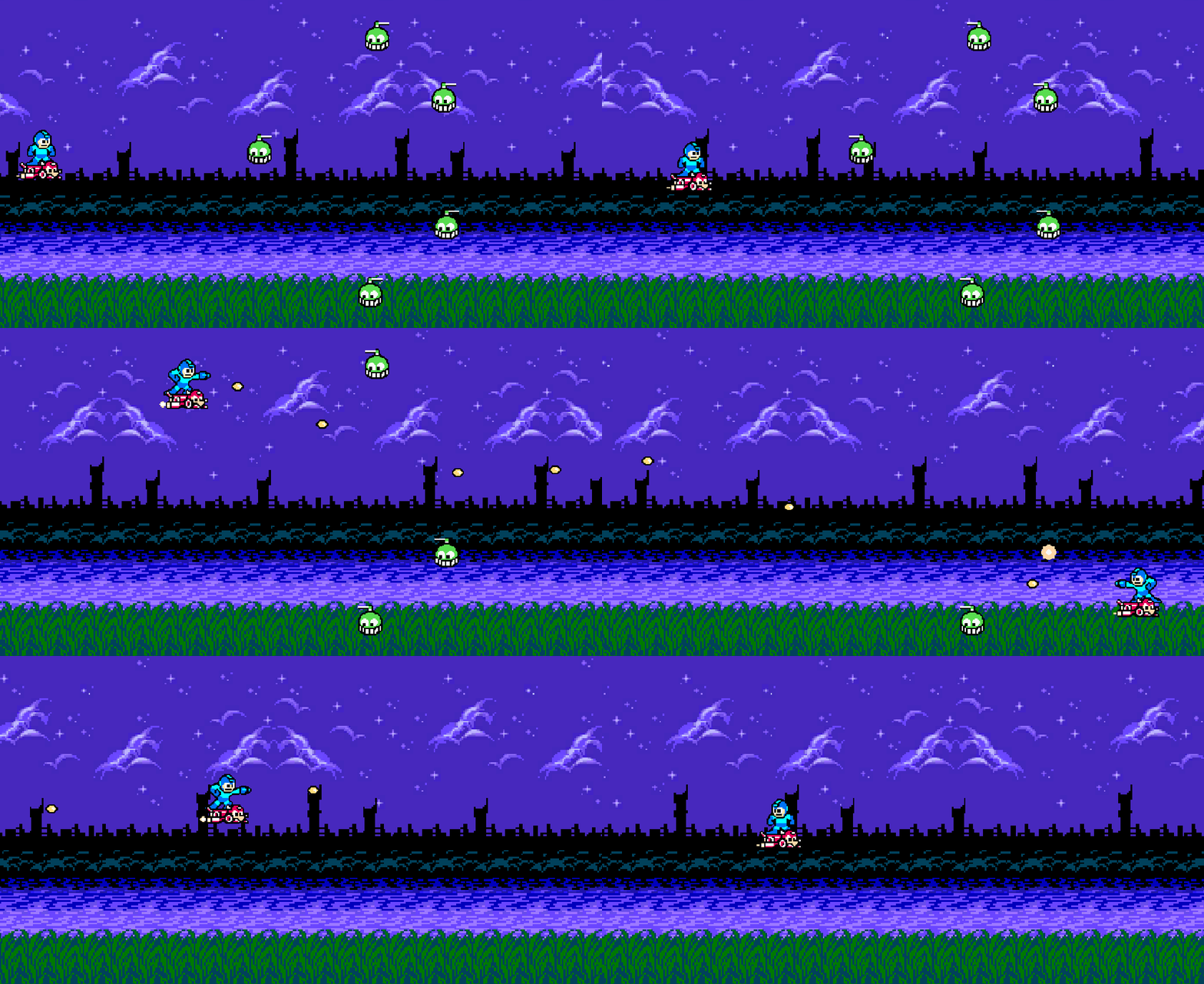
I think I’ll just always post a gif of my latest progress with each post, highlighting the new stuff.
Refactoring
Before I begin, I wanted to do some refactoring. Use a little bit of my knowledge of OOP to prepare for the future. The bullet object I made before was very specific; if I wanted different weapons, I’d have to make more prefabs with the same properties. However, some properties of bullets are common (speed, damage), so it makes sense to have an abstract class for them. So, that’s what I did.
There were some other things that I wanted to do as well:
- Add a damage property to the bullet. Enemies will have health; they can’t all just die in 1 shot!
- Stop using
FixedUpdateto adjust position of the bullet, usingUpdateinstead so it appears smoother. This also requires not usingRigidbody2D.linearVelocitysince physics should useFixedUpdate. - Add a method so inheritors can change the direction if need be.
And so, an abstract Projectile class was born:
public abstract class Projectile : MonoBehaviour
{
    [SerializeField] private float speed;
    [SerializeField] private float damage;

    private Vector2 _direction;

    protected abstract Vector2 GetInitialDirection();

    protected void SetDirection(Vector2 direction)
    {
        _direction = direction;
    }

    public float GetDamage()
    {
        return damage;
    }

    private void Awake()
    {
        _direction = GetInitialDirection();
        Destroy(gameObject, 2);
    }

    private void Update()
    {
        var scale = speed * Time.deltaTime;
        transform.position += (Vector3) _direction * scale;
    }

    public void FlipDirection()
    {
        _direction.x *= -1;
    }
}
Now my original StraightProjectile class becomes very simple:
public class StraightProjectile : Projectile
{
    protected override Vector2 GetInitialDirection()
    {
        return new Vector2(1, 0);
    }
}
The idea here is that perhaps future straight projectiles can also extend this class if they need to do anything custom. Maybe not, but hey, we can dream…
Vectors
I just want to note that learning how to adjust the position myself, rather than rely on tutorials to adjust linearVelocity and whatnot, as been key in understanding positioning in general. I don’t know why I didn’t fully understand it before, as it’s so clear now, but basically a Vector2 is simply an (x, y) and a Vector3 is simply an (x, y, z).
I think some of the confusion has been whether a vector has a magnitude or not. You could probably see that confusion clearly in my previous post on constraining movement. The solution to provide boundaries was… a bit ridiculous. I had the intuition that it was ridiculous at the time:
I’ll probably look for other solutions here, as this method feels nasty to me.
And so, after adjusting the bullet to be positioned in Update, avoiding linearVelocity, I feel like I now understand how the positioning should work. Basically, when we move, we have a current position, and we adjust that position by calculating speed times delta time times the directional vector. Once we multiply all that out, that basically gives us a “delta” vector (how much each position is changing), which we can add to the current position. You can see that’s exactly what I did in the bullet code above.
Armed with this knowledge, we can now make Mega Man’s movement smoother by using Update, and also refactor that “nasty” code from before. We still need to clamp it, of course, but we can use math functions for that now:
private void Update()
{
    var scale = moveSpeed * Time.deltaTime;
    var delta = _movement * scale;
    var unclampedPos = (Vector2) transform.position + delta;
    transform.position = new Vector2(
        Mathf.Clamp(unclampedPos.x, MIN_X, MAX_X),
        Mathf.Clamp(unclampedPos.y, MIN_Y, MAX_Y));
}
I am much happier with this. There could still be a better way, but this seems so much cleaner. He’s now smoother as well, and best of all… no more edge bounce! FixedUpdate was screwin’ me over. 🙂
Enemies
Now we need something to shoot at. The little chopper enemies from Mega Man 1’s Cut Man stage will work. I created a quick animation of its little chopper at the top moving back and forth, and then set out to learn about colliders. I knew I needed to add a Collider2D to both the bullet and the enemy, but what do I do once I have?
Gemini helped me out. I’m liking this better than finding tutorials on the internet because I feel like I have to put the pieces together, not just copy the already put together pieces someone else has done. So, I fired it various questions about colliders, and rigid bodies, learning the differences between kinematic/dynamic/static, etc.
Since this is a shooter and most objects are not subject to physics (at least not yet?), they are kinematic. If kinematic, then the colliders need “Is Trigger” checked in order to detect collisions. If we’re using kinematic objects with triggers, we can detect the collisions in a OnTriggerEnter2D method.
As such, I gave my enemy’s script some health, and implemented the method:
[SerializeField] protected float health = 10;

private void OnTriggerEnter2D(Collider2D other)
{
    if (other.CompareTag("PlayerBullet"))
    {
        var projectile = other.GetComponent<Projectile>();
        health = Mathf.Max(0, health - projectile.GetDamage());
        Destroy(other.gameObject);
    }

    if (health <= 0)
    {
        Destroy(gameObject);
    }
}
Once they reach zero health, the object is destroyed. And, once tested, the enemies do indeed disappear when health hits zero. Bullets also disappear, due to the Destroy(other.gameObject) call.
Disappearing enemies is boring. I want an explosion. So, I created a small explosion animation, and in the animator for the enemy, we transition to the explosion animation when the isDead parameter is turned on. However, even if I add that just before the Destroy call above, the object disappears before the animation is played.
I don’t want to destroy the game object until that animation is done. After some learning, we can put triggers in our animations. So, at the end of the animation, I want to trigger a method that finally destroys the object. Destruction is now handled by that trigger method, not the OnTriggerEnter2D method. However, the on-trigger method will need to set the parameter to transition to the explosion animation.
After a little thinking, since we’ll have more enemies and I want them all to die at some point, I decided to make a base Enemy class, which my Green Chopper enemy will implement. The base class will take care of the wiring of setting the animation property and destroying the game object so the implementation doesn’t have to worry about anything other than calling the death method. And so, my base Enemy class looks like this:
public abstract class Enemy : MonoBehaviour
{
    private readonly int _isDeadAnimId = Animator.StringToHash("isDead");

    [SerializeField] protected float health = 10;

    private Animator _animator;

    void Awake()
    {
        _animator = GetComponent<Animator>();
    }

    protected void Die()
    {
        _animator.SetBool(_isDeadAnimId, true);
        GetComponent<Collider2D>().enabled = false;
    }

    public void DestroyGameObject()
    {
        Destroy(gameObject);
    }
}
And my Green Chopper enemy class extends Enemy instead of MonoBehavior, and instead of calling Destroy when it’s dead, we call Die. This will set the death parameter, which transitions to the explosion animation, which triggers DestroyGameObject when it’s done. Perfect!
Up Next
Whew, that’s a lot for one session, but I feel like I’m getting the hang of it more and more.
I’ve got two directions I could go here:
- Events. That is, enemy spawning events. Different formations, movement, etc.
- Player health and damage. Mega Man can’t be invincible, and since this is a shoot ’em up, he probably won’t be able to take many hits (or it would be too easy).
Not sure which I’ll go with. For events, I want to make it robust enough that we can have a variety of enemy formations, and we can randomize which events we get. For instance, if there are 6 different enemy formations, I’d pick maybe four randomly, each one starting after a brief delay once the previous event is over (all enemies defeated).
For player health, I’d need some more Mega Man animations when he gets hit, and need to track his health. He’d obviously need a collider, too. Similar to what I’ve done for enemies, really, except with Mega Man and a hit animation.
 Learning Unity 2D
Leave a comment