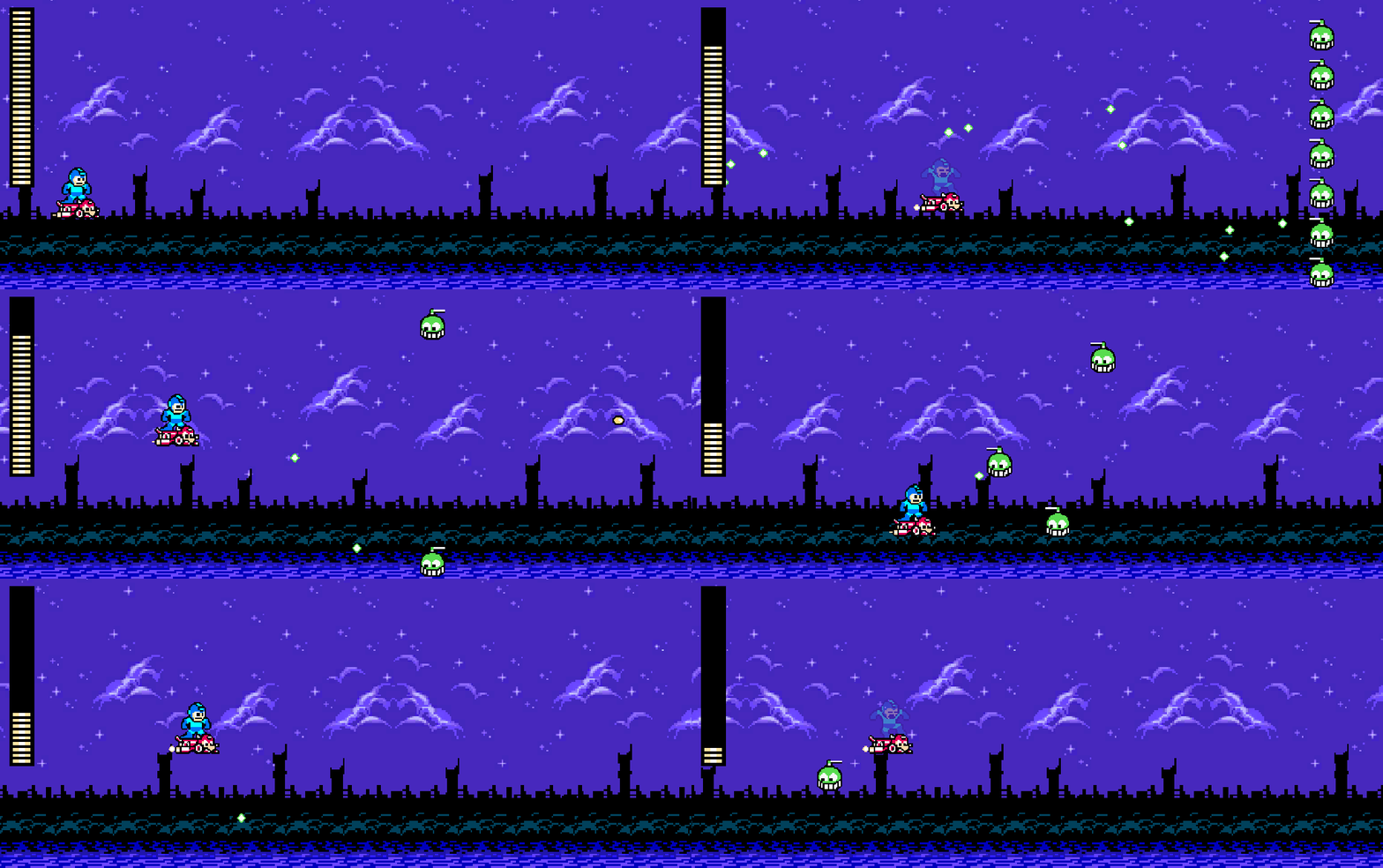
I almost didn’t make a most this week because I was frustrated by the UI setup in Unity… but eventually it clicked.
First I tried Unity’s official UI tutorial. Specifically, it used the UI Toolkit, which appears to attempt to use CSS-like styling and structure for UI elements. After some searching and asking Gemini, it appears an alternative method of using a Canvas exists and has more functionality. Typically, I’d tend towards the more modern approach that Unity wants people to use, but it appears that it’s new and still expanding functions… so I decided to use a Canvas. Additionally, it appears that a simple usage like a health bar is probably quicker done in a Canvas anyway.
So, I created a new Canvas, and was disturbed by how much larger it appeared in the Scene view. I tried making a UI image object under it, and it was gigantic compared to my camera. I’d resize the object so it fits inside my camera, but then it wouldn’t appear in my game view! I had no idea what was going on… until I realized the Canvas is actually overlayed on top of the camera. The UI object might be gigantic in the Scene view, but in the Game view it appears as it should.
Once that clicked, my frustration melted away and I quickly figured out how to do what I needed to do. So, I created two UI image objects: one for the health background (just black), and one for the health fill (a tiled image). Since I’m using a tiled image (rather than filled), I have to adjust the size of the image, rather than the fill. That in mind, I quickly whipped up a script to control health:
[SerializeField] private Image healthBar;

private float _originalHeight;

void Start()
{
    _originalHeight = healthBar.rectTransform.sizeDelta.y;
}

public void UpdateHealth(float currentHealth, float maxHealth)
{
    var fillRatio = Mathf.Clamp(currentHealth / maxHealth, 0, 1);
    healthBar.rectTransform.sizeDelta = new Vector2(
        healthBar.rectTransform.sizeDelta.x,
        _originalHeight * fillRatio);
}
And then, in my script on Mega Man (which has my health), I need to call the controller:
[SerializeField] private float maxHealth = 100;
[SerializeField] private HealthController healthController;
private float _currentHealth;

void Awake()
{
    _currentHealth = maxHealth;
    ...
}

private void OnTriggerEnter2D(Collider2D other)
{
    ...
    healthController.UpdateHealth(_currentHealth, maxHealth);
    ...
}
Once I set the y-pivot to 0, anchoring in the top-left, health disappears as expected. Nice!
Overall this week, much of the time was spent figuring out and learning parts of Unity’s UI functionality, so there’s not really much else to talk about here. I think I still have a lot to learn there, but the health bar is functioning as it should, which is good.
Eventually, I’ll want health power-ups to drop so it can fill back up. Also, I think I need to adjust my health/damage settings so they’re units of health, rather than arbitrary numbers. This way, when he takes damage or gains health, the unit is always full; it would look odd to have half a unit. Ironically, my current settings don’t have that issue (or maybe the tiling is taking care of it?!).
I’m also considering moving the total health to the controller, rather than having it as part of Mega Man. Then, then function that is called on a collision with Mega Man instead communicated simply how much damage, rather than calculating the remaining health. That calculation then is constrained to the health controller. Separation of concerns and all that…
Up Next
Death. Mega Man must be able to die. I always stumble in the animations, but I think the process will be a simple death animation for Mega Man, followed by some projectiles outward which fade. The classic death animation.
 Learning Unity 2D
Leave a comment